
For organizers
The workshop runs. You’re not the one running after it.
Wayfield handles enrollment, payment, sessions, and check-in — and lists your workshops in the Wayfield marketplace so new participants can find you.
The old way
Before Wayfield.
Registrations arrive by email and get copied into a sheet. Payment happens through a link, or a transfer, or in person, and reconciling it is a Sunday. The confirmation email is a template you paste and edit. Two days out you send the what-to-bring message individually because there’s no list to send it to. On the day you print the roster and hope nobody paid this morning.
It works. That’s the problem — it works right up until the workshop you actually cared about, and then it costs you a participant.
On their phone
The parts of the day that don’t wait for a laptop.
A participant asks about materials mid-workshop. A waiver needs a signature before check-in. Someone finds your profile and wants to see what else you run. None of that waits until you’re back at a desk.
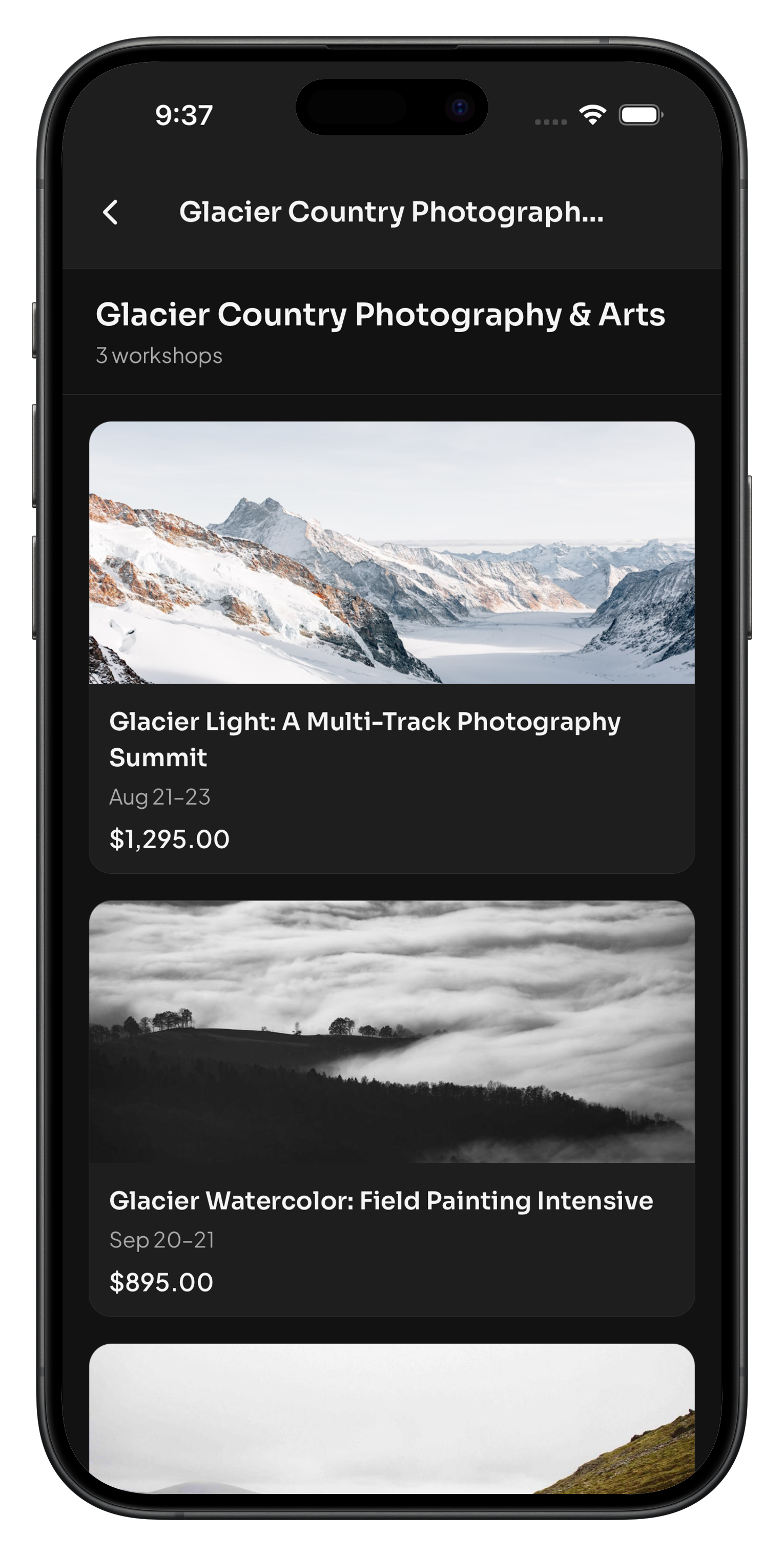
Your Public Profile
One page lists everything you teach and pulls in your best reviews automatically — someone who liked one workshop finds the next one without you sending a link.
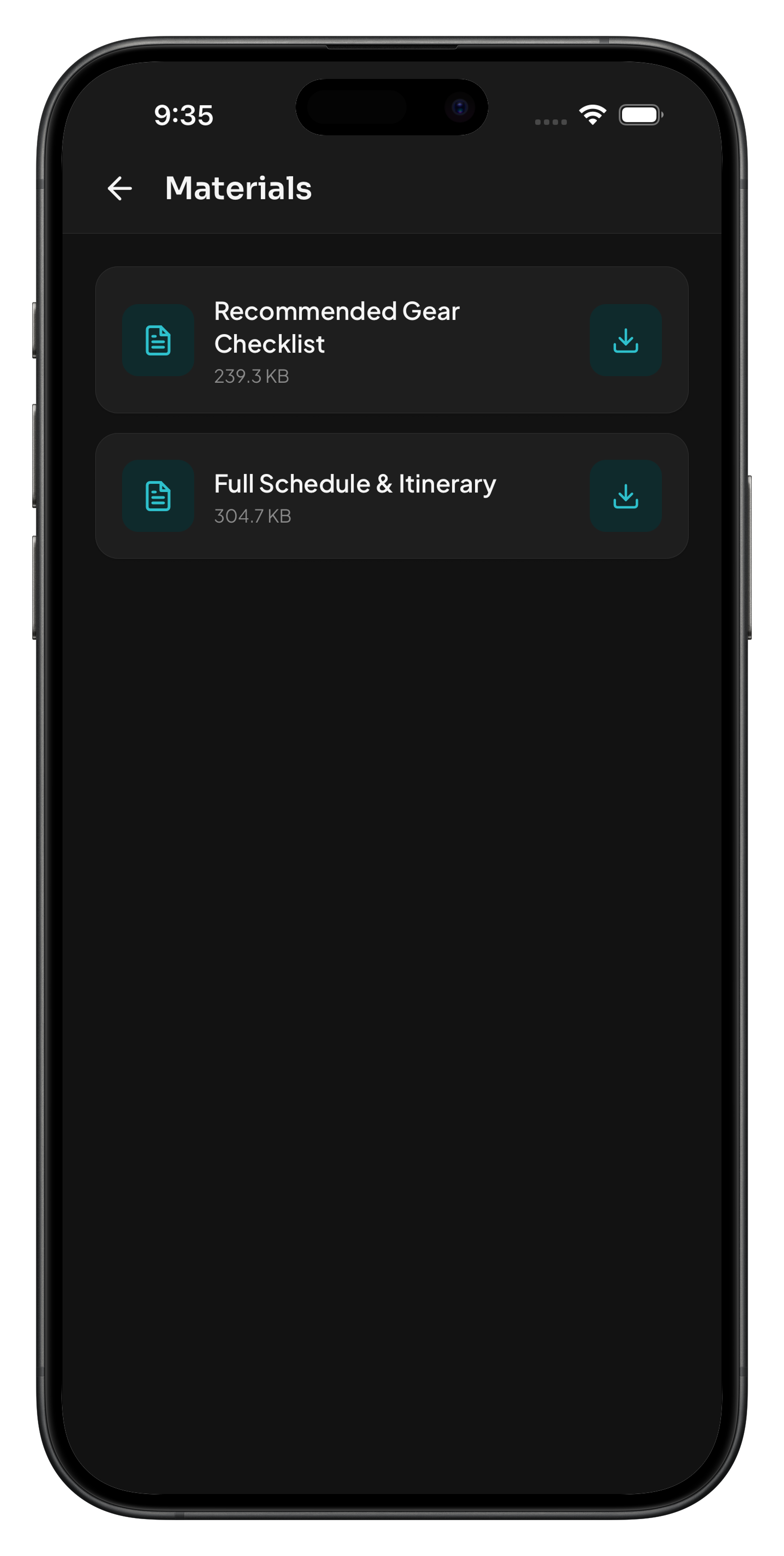
Materials, Already in Their Pocket
The gear list, the schedule, the prep reading — attached to the workshop and downloadable from a participant’s phone. No “did you get my email?” texts.
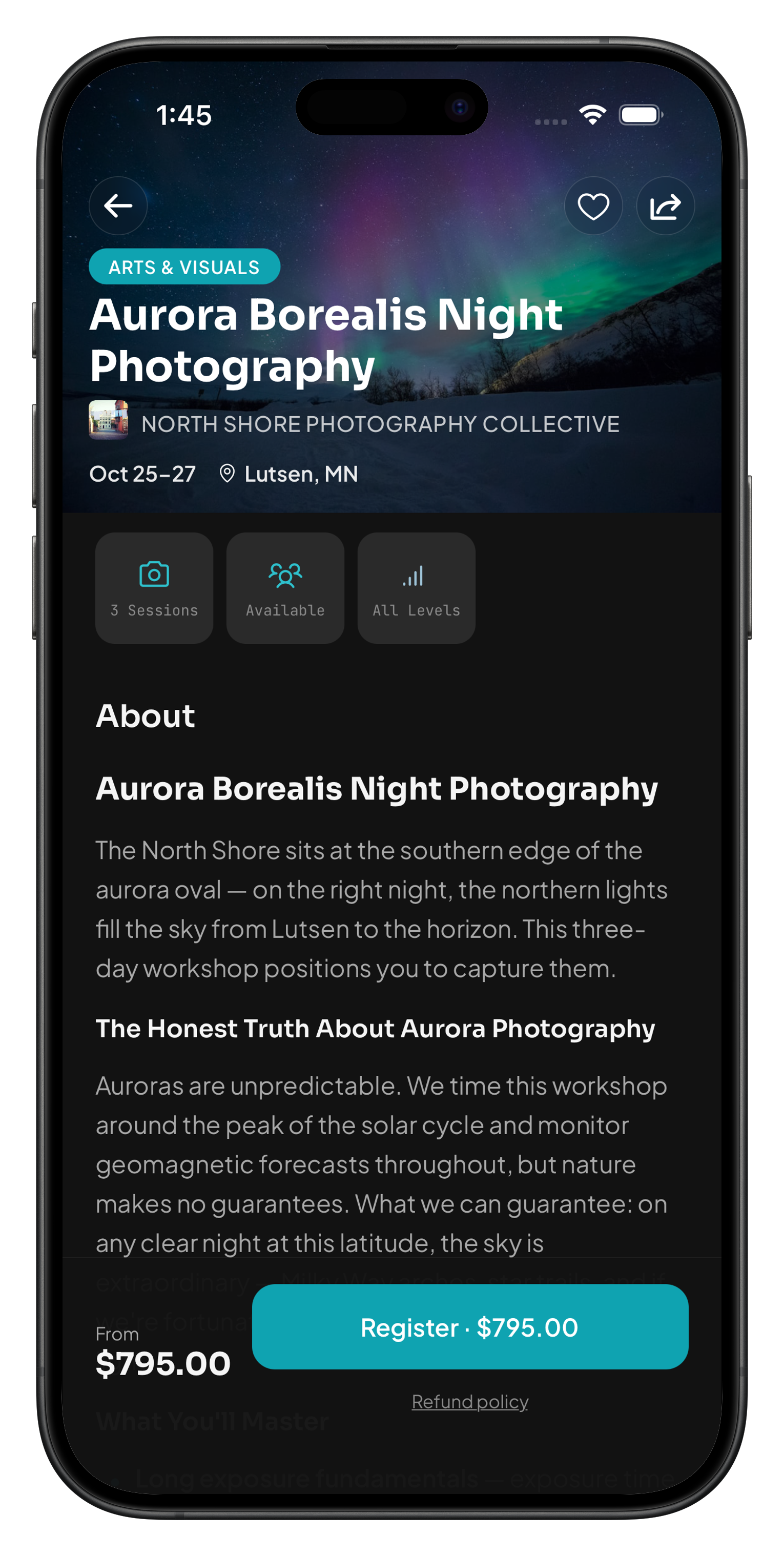
The Listing You Built
Sessions, pricing tiers, the honest FAQ, the day-by-day breakdown — everything you put into the workshop page, reading as clearly on a phone as it does on your dashboard.
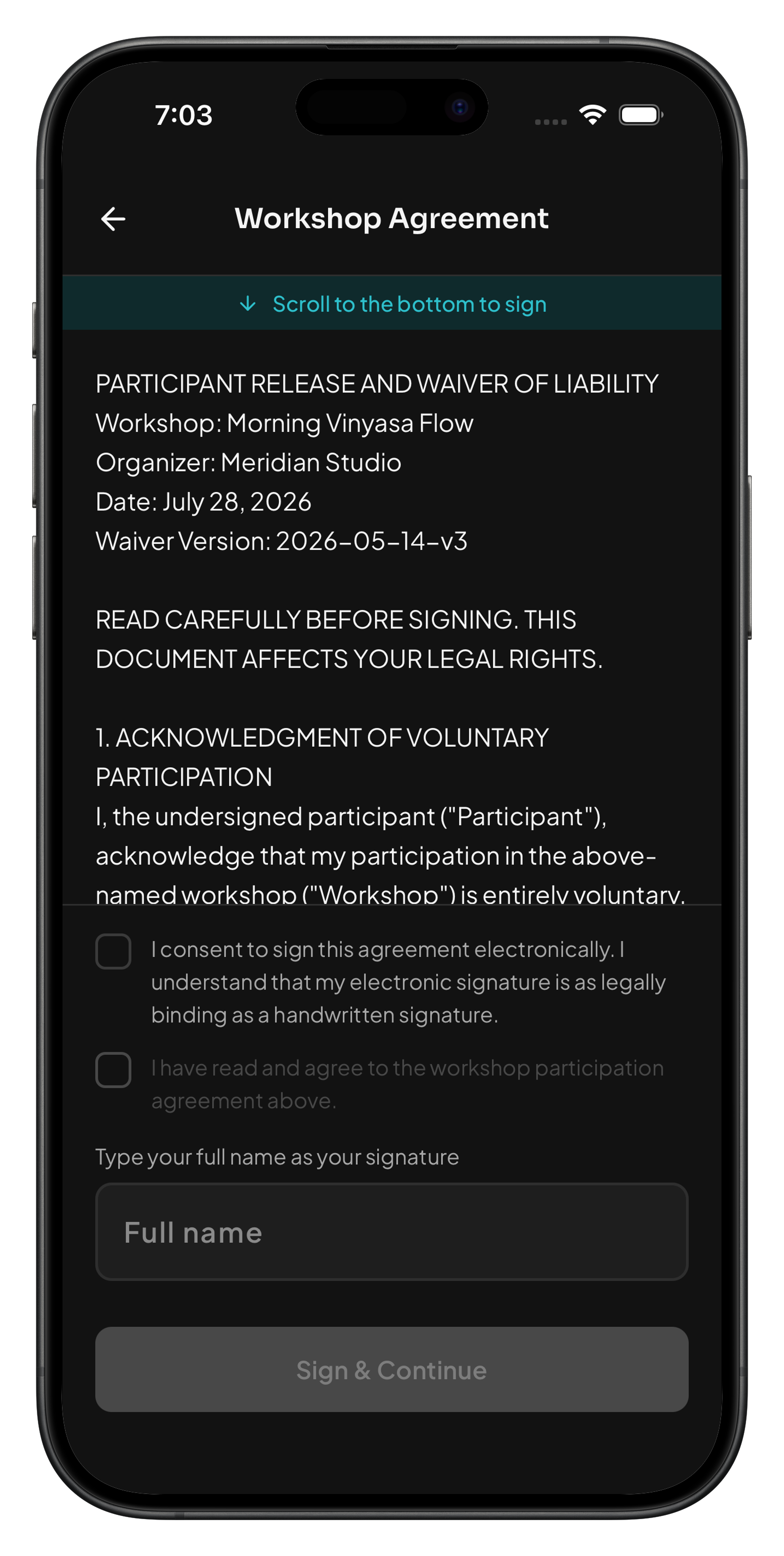
Signed Before They Show Up
The agreement, the risk disclosure, the signature — done from their phone before your first check-in, not printed and handed over on-site.
What changes
After Wayfield.
Every part of the process that used to eat your evenings runs automatically. Here’s what actually changes.
Your participant emails are already written.
Every workshop gets a communication sequence built for what you teach — registration confirmation, prep reminders, day-of details, post-workshop follow-up. Customize any message when you need to. Otherwise, skip the Sunday-night email session. It’s already scheduled. Learn more →
When something changes, everyone who needs to know finds out in seconds.
A venue change, a weather note, a last-minute update — send it to every participant, to leaders only, or to one session, whichever fits. No email list to build first. Learn more →
Know if your workshop is ready before a participant tells you it isn’t.
Ten checks run the moment you save a workshop. Score below 80 and you’ll see exactly which item needs attention. Not a vague warning. A specific fix. Learn more →
Your no-show rate, compared to workshops like yours.
Once a week, your fill velocity, no-show rate, and return rate get measured against your category’s benchmark — not a platform-wide average. The insight names the number and what changes it. Learn more →
A cancellation doesn’t have to mean an empty seat.
When someone drops out, the next person on the waitlist gets offered the spot and a payment window — automatically. No spreadsheet. No manual outreach. Learn more →
Collect the deposit now. Collect the balance without asking twice.
Set a deposit at registration and a due date for the rest. Three reminders go out automatically before the balance charges to the card on file. Learn more →
The morning email already knows the forecast.
A landscape photography workshop gets golden hour time in the prep email. A pottery class gets nothing, because weather isn’t relevant. No setup required. Learn more →
The money goes to your account. You don’t reconcile anything.
Registrations pay by card, Apple Pay, or Google Pay directly into your Stripe account, on Stripe’s schedule. No invoices to chase, no Sunday-night reconciliation. Learn more →
The waiver gets signed before anyone shows up.
Participants sign digitally on their phone — before their first check-in, or as part of registration. A state-by-state risk reference is built in. Learn more →
Set your own refund rules. We handle the follow-through.
Wayfield applies your policy automatically at checkout, every time. When a request comes in, the Wayfield Assistant suggests a starting recommendation. Learn more →
A chargeback doesn’t have to mean hours of paperwork.
The Wayfield Assistant puts together the evidence you’d need to respond and gives you an honest read on how strong the case is before you spend the time. Learn more →
Add a second set of hands without handing over your login.
Owner, Admin, and Staff roles split the work with the right access for each person. Nobody shares a password to get it done. Learn more →
Sell the upgrade at checkout, not in a follow-up email.
A portfolio review, a materials kit, a VIP session — priced and purchased alongside the main registration. Learn more →
Let participants build their own schedule.
Tracks, parallel session options, day-by-day schedules — participants pick which sessions they attend, with conflict detection so nobody double-books. Learn more →
The organizer dashboard
One place for the whole job.
Build the workshop, take payments, message your roster, watch it fill — all from the same account. No separate tool for each piece, no juggling logins to get it done.
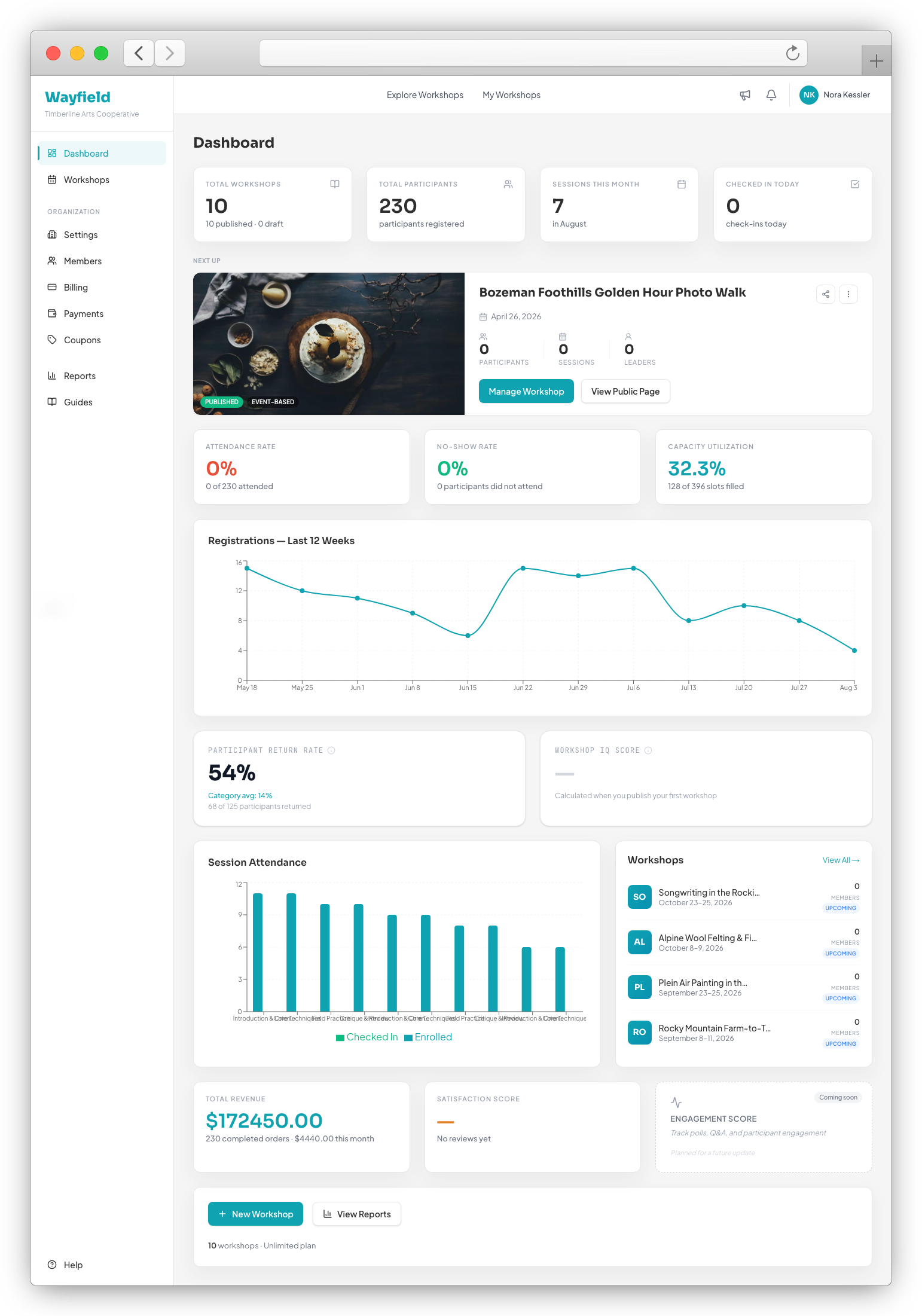
Command Center
Every KPI that matters — registrations, revenue, attendance, capacity — plus which workshop needs your attention next, the moment you log in.
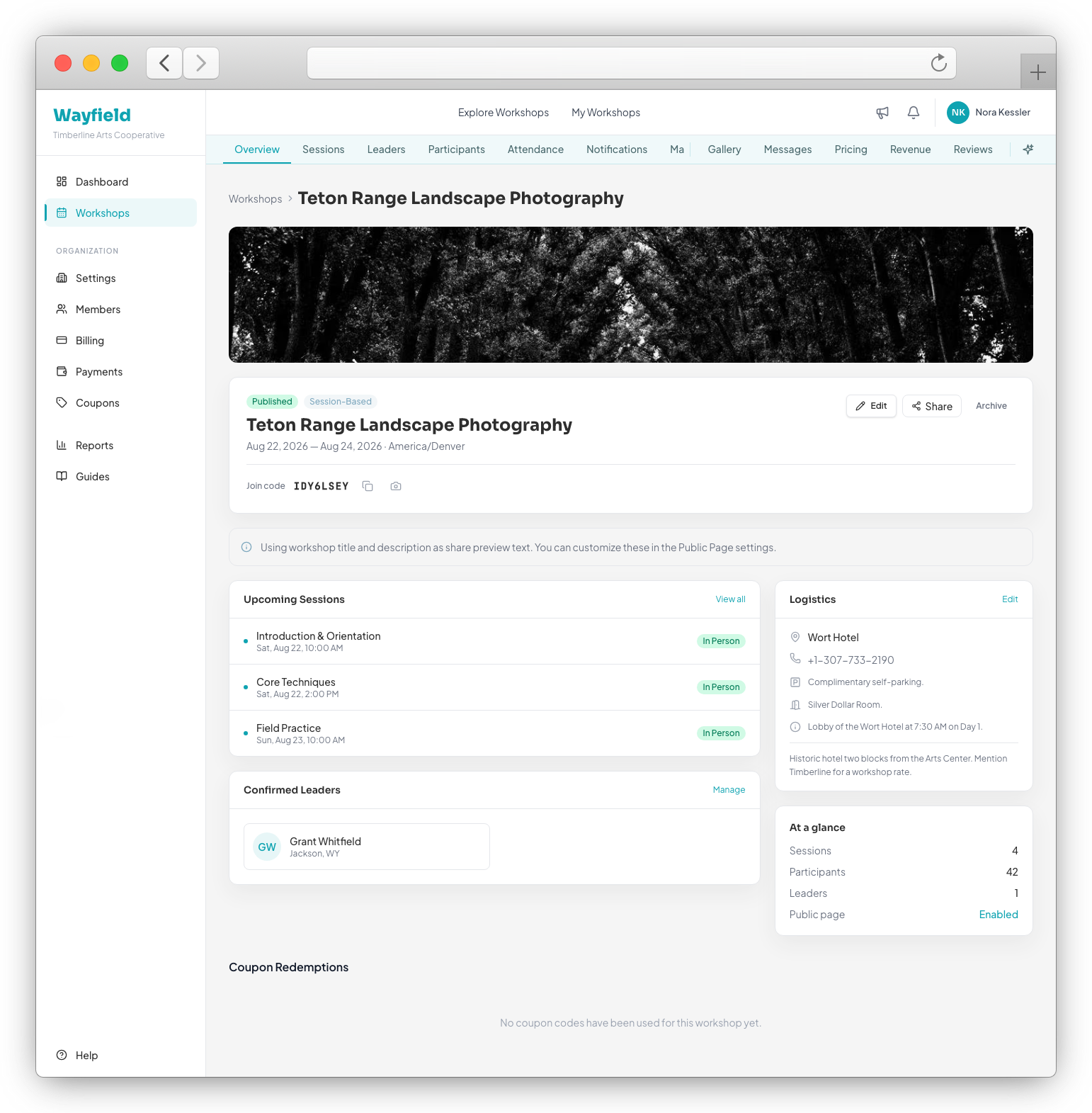
One Workshop, One Screen
Join code, sessions, logistics, and at-a-glance stats — everything about a workshop in one place.
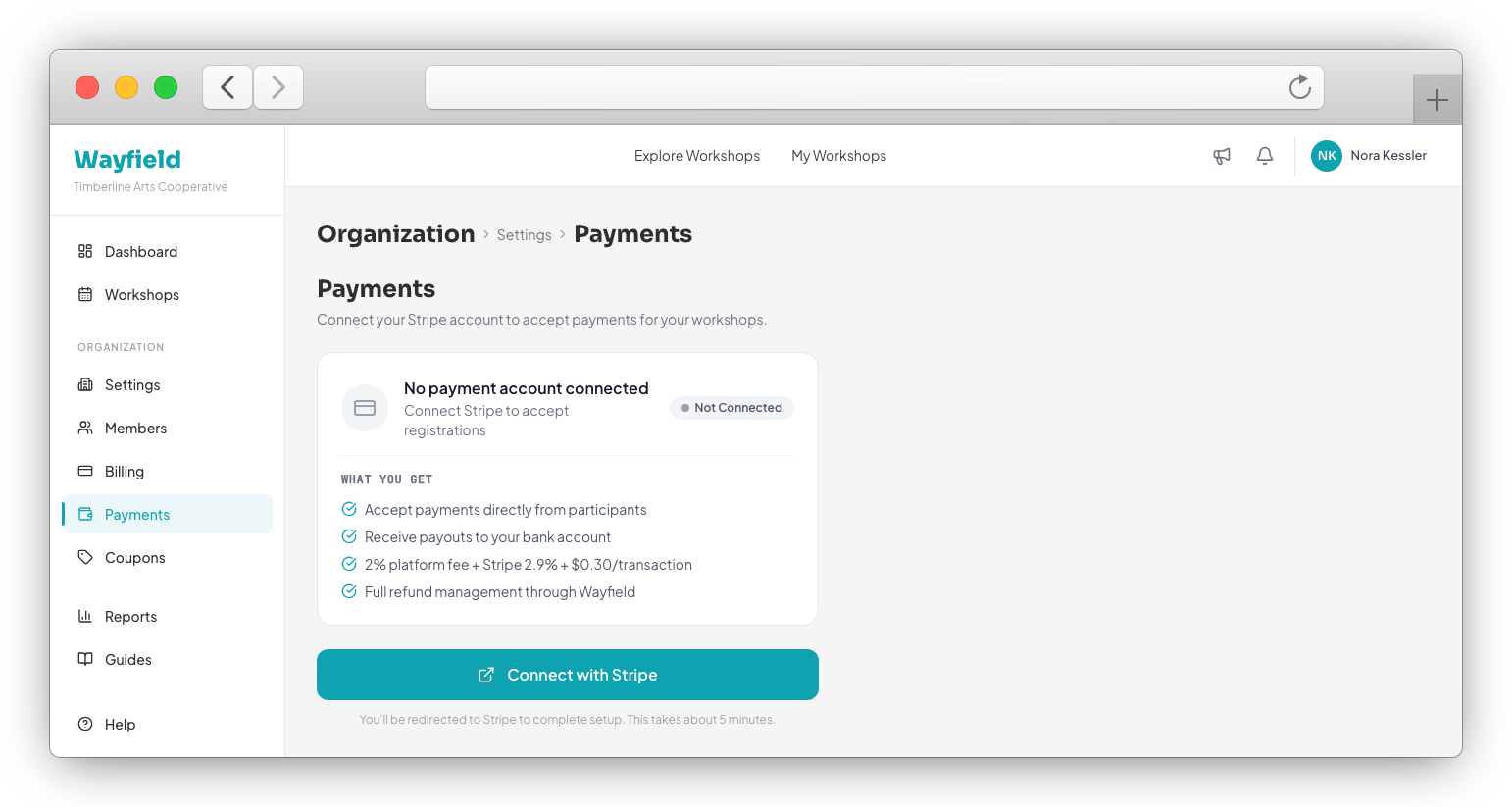
Get Paid
Connect Stripe once. Money lands in your account on their schedule — no invoice chasing, no reconciling by hand.
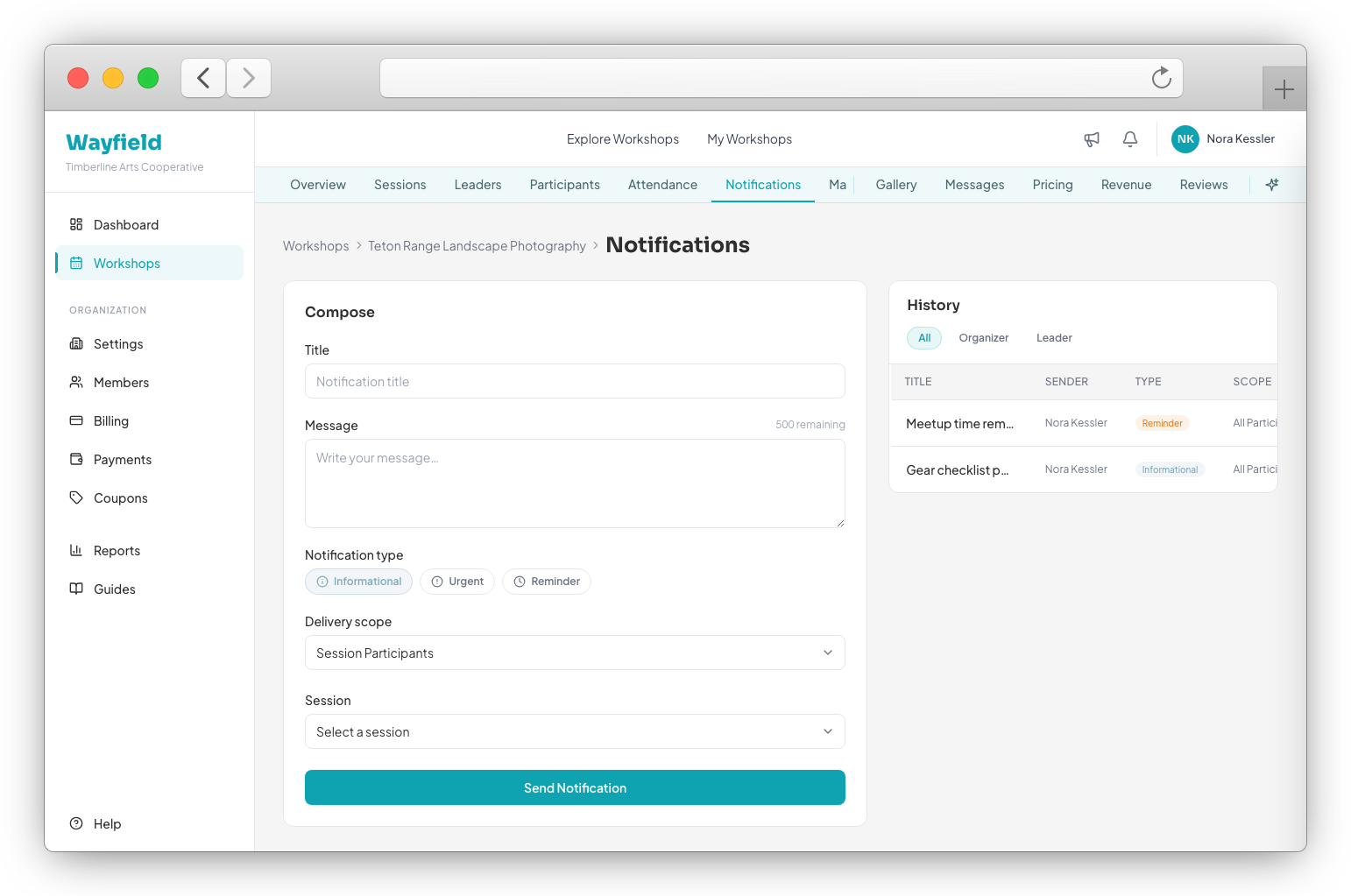
Reach Everyone
Send an update to your whole roster, or hand a session’s message off to its leader — from the same dashboard.
Full feature list
All Wayfield features for organizers.
Everything above, plus everything else. The full list.
Workshop Builder with the Wayfield Assistant
Describe the workshop; get a publish-ready title, description, and search-visibility copy back in the voice that fits your discipline. Nothing publishes without your review. Read the full details →
Search Visibility Coaching from the Wayfield Assistant
On demand: a suggested title, a short description, and a list of keywords you’re missing. The search-visibility brief without the consultant. Read the full details →
Session Setup — Tracks, Types, and Enrollment Options
Standard, add-on, or hidden sessions. Self-select or organizer-assigned. Named tracks for a multi-track event. Read the full details →
Logistics Management
Venue, hotel, parking, meetup instructions — stored once, shown to participants automatically, available offline. Read the full details →
Tiered Pricing
Early bird, general, last-chance. Each tier activates on its own date, automatically. Read the full details →
Coupon and Discount System
Percentage, fixed, or free. Generate a batch of codes at once for an alumni list or a partner organization. Read the full details →
Workshop Materials and Document Distribution
Upload the shot list, the recipe, the reading. Files stay attached to the workshop, accessible only to registered participants. Read the full details →
Team Leader Invitation System
Invite a leader by email. Even if someone got hold of your data, the invitation itself couldn’t be reused to gain access. Read the full details →
Workshop Analytics Dashboard
Registrations, attendance rate, capacity — the numbers that matter, on one screen. Read the full details →
Fill Pace Tracking
Nine of twenty registered is fine four weeks out and a problem four days out. This tells you which one, in week three. Read the full details →
Sales Reporting
Gross, refunded, and net revenue per workshop, exportable, with participant-level detail. Read the full details →
Verified Reviews and Testimonials
Reviews only from participants who actually attended, only after the workshop ends. Feature up to three on the workshop page. Read the full details →
Public Workshop Pages Built to Be Found
Every workshop gets a page built to show up in search results and look right when it’s shared — with the structured data underneath that AI-powered search and answer engines read too. Read the full details →
Workshop Featuring — Marketplace Placement
Paid placement above organic search results in the Wayfield marketplace. Read the full details →
Nonprofit Donation Widget
Verified nonprofits can accept donations at checkout with no platform fee on the donation itself. Your workshop registration fee still follows your regular plan rate. Read the full details →
Voice That Matches Your Craft
Every piece of writing the Wayfield Assistant produces is calibrated to your discipline, automatically. Read the full details →
Content Creation from the Wayfield Assistant
Blog posts and social copy created and scored against search performance, twice a week, without a content team. Read the full details →
Interest-Based Discovery
Your workshop surfaces first for participants who listed your discipline as a primary interest. Read the full details →
Post-Workshop Survey System
Send a survey after the workshop ends. A satisfaction score is included. Studio and Enterprise plans add custom questions. Read the full details →
Organizer Public Profile
One page listing everything you teach, with your best testimonials from across all your workshops. Read the full details →
Delivery-Type Aware Playbooks
A virtual workshop gets “check your connection.” An in-person one gets “arrive 15 minutes early.” Read the full details →
Multi-Organization Coupon Support
In a shared cart, each organization’s coupon applies independently. Read the full details →
Early Access to Higher-Tier Features
Enterprise and support arrangements can turn on a specific feature for your account without waiting on a plan change. Read the full details →
Bulk Coupon Generation
Generate a batch of unique codes in one operation for an alumni group or partner list. Read the full details →
Revenue Calculator
See estimated earnings after the platform’s share before you set your price. Read the full details →
At a glance
What’s included.
- Workshop builder with gallery, schedule, and logistics
- Session-based enrollment with per-session capacity control
- Stripe-powered payments and automatic organizer payouts
- Communication playbooks that send at the right moment — automatically
- Leader assignment: each leader sees only their session, not the whole workshop
- One-tap participant check-in — no scanning, no station
- Enrollment analytics and revenue dashboard
- Workshop Readiness Score: one check before you publish
- Listed in the Wayfield marketplace — searchable by location, topic, and date
- Verified reviews from confirmed attendees after the workshop ends
Getting started
Three steps to launch.
01
Build it.
Title, sessions, capacity, price, location, what to bring. Publish when it’s ready.
02
Add your people.
Invite session leaders by email, or add yourself if you’re leading. They set up their own profile and get their roster automatically.
03
Open enrollment.
Share the link or the QR code. Participants enroll and pay. You get notified. Payout follows Stripe’s schedule.
Is this you
Who this is for.
Wayfield is for the independent creative educator who runs the workshop and the business behind it. You teach it, you fill it, you answer the emails, you handle the refund. There is no operations team. There is you.
This is for you if:
- You teach creative skills — photography, ceramics, cooking, writing, outdoor arts, or anything hands-on
- You handle registration, payment, and communication yourself, or with one other person
- You want the admin to take less time without hiring anyone to do it