
For participants
Find the workshop. Show up ready.
Find workshops near you, enroll in minutes, and get everything you need before the day.
The participant experience, step by step
From finding it to remembering it.
Every screen your participants actually use, from the first search to the review they leave after.
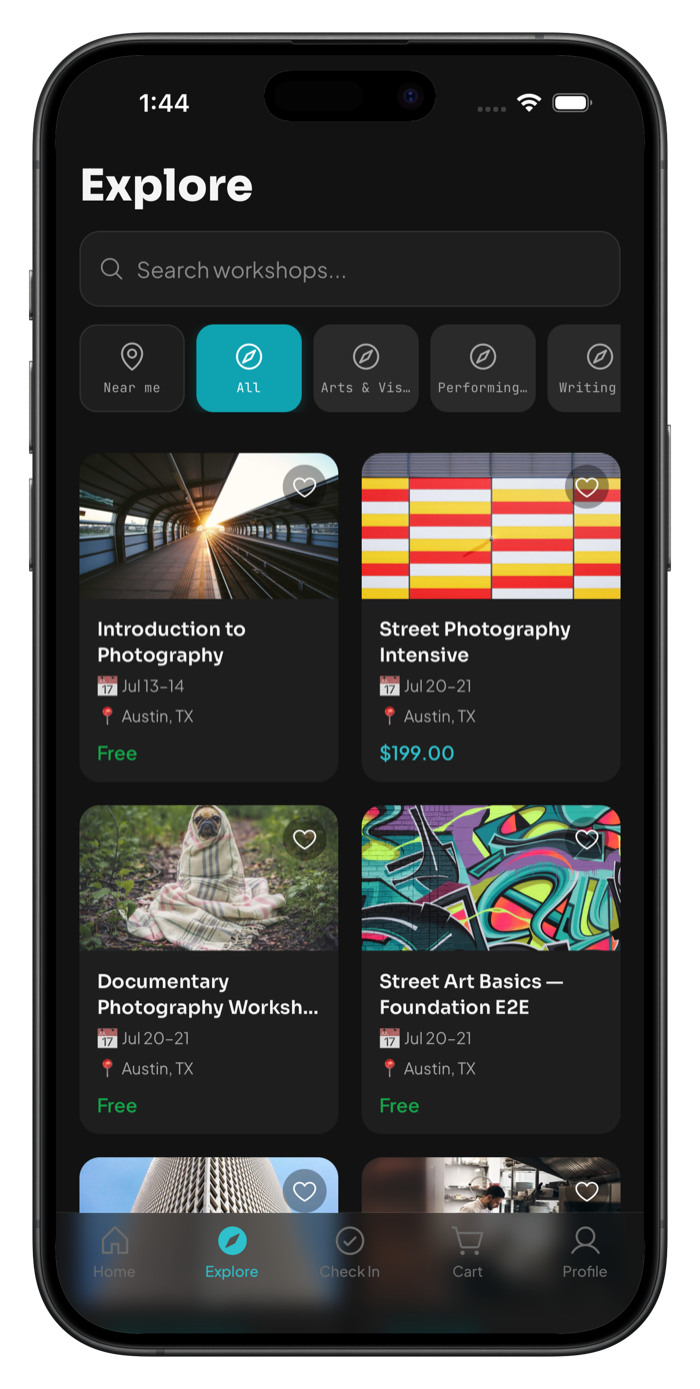
Find It
Browse workshops by category, location, or what’s happening near you, and enroll in minutes.
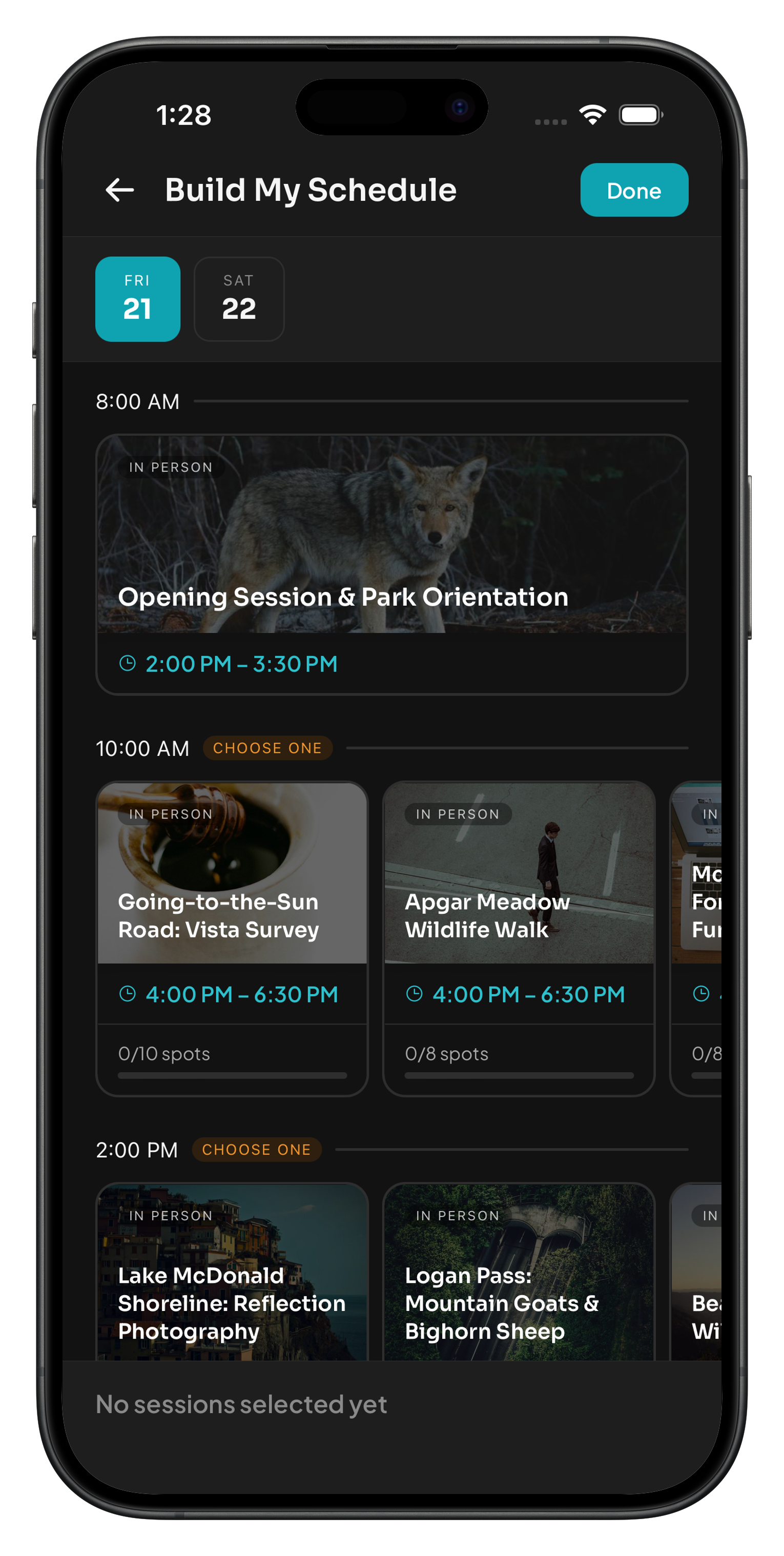
Build Your Schedule
See what’s open, what’s full, and what conflicts. Pick your sessions and change your mind up to the day.
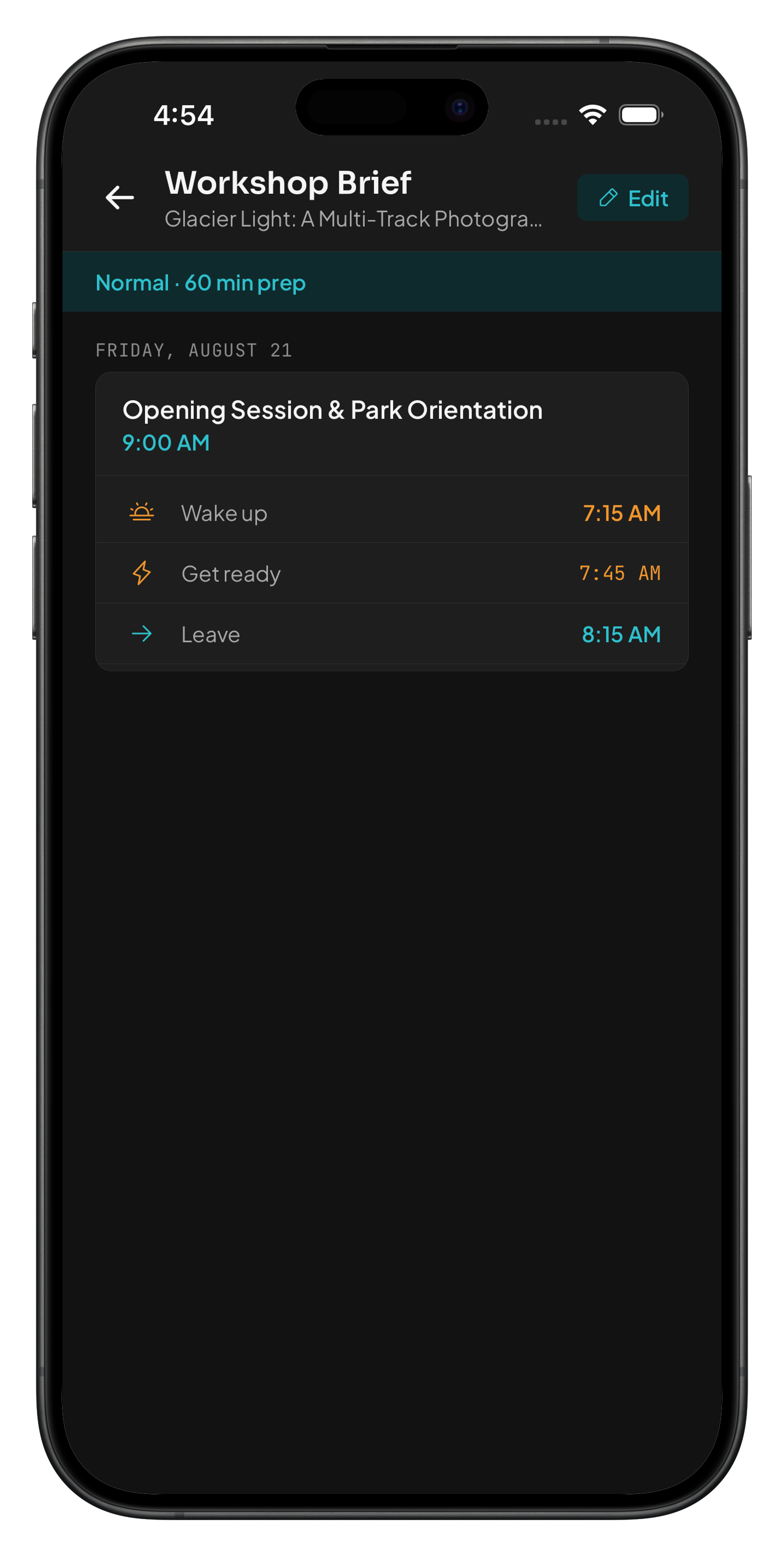
Get Ready
Set your prep time once — every session gets a wake time and a departure time, calculated backward from the start.
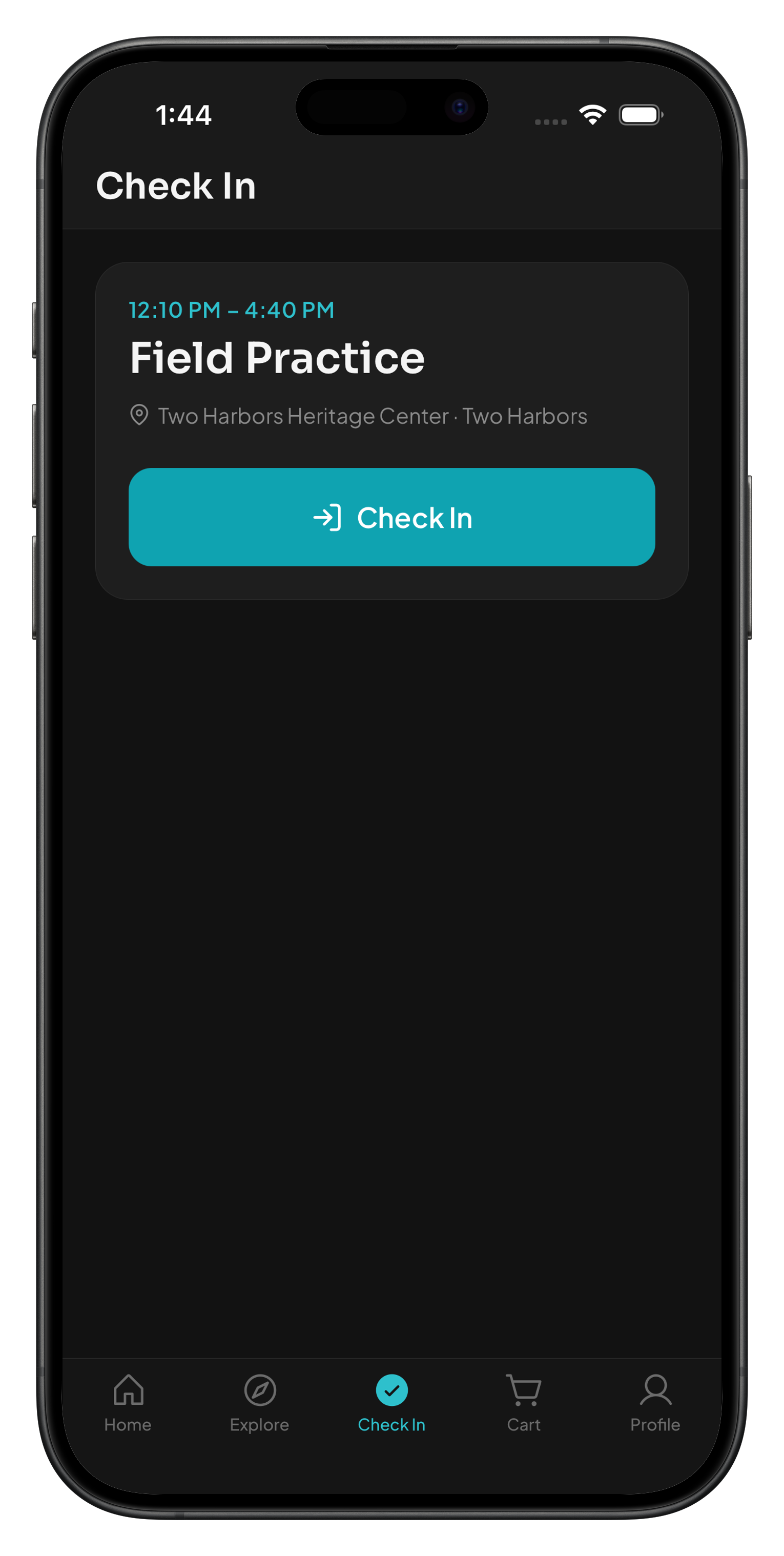
Check In
One tap in the app — no QR code, no kiosk, no paper list with your name on it.
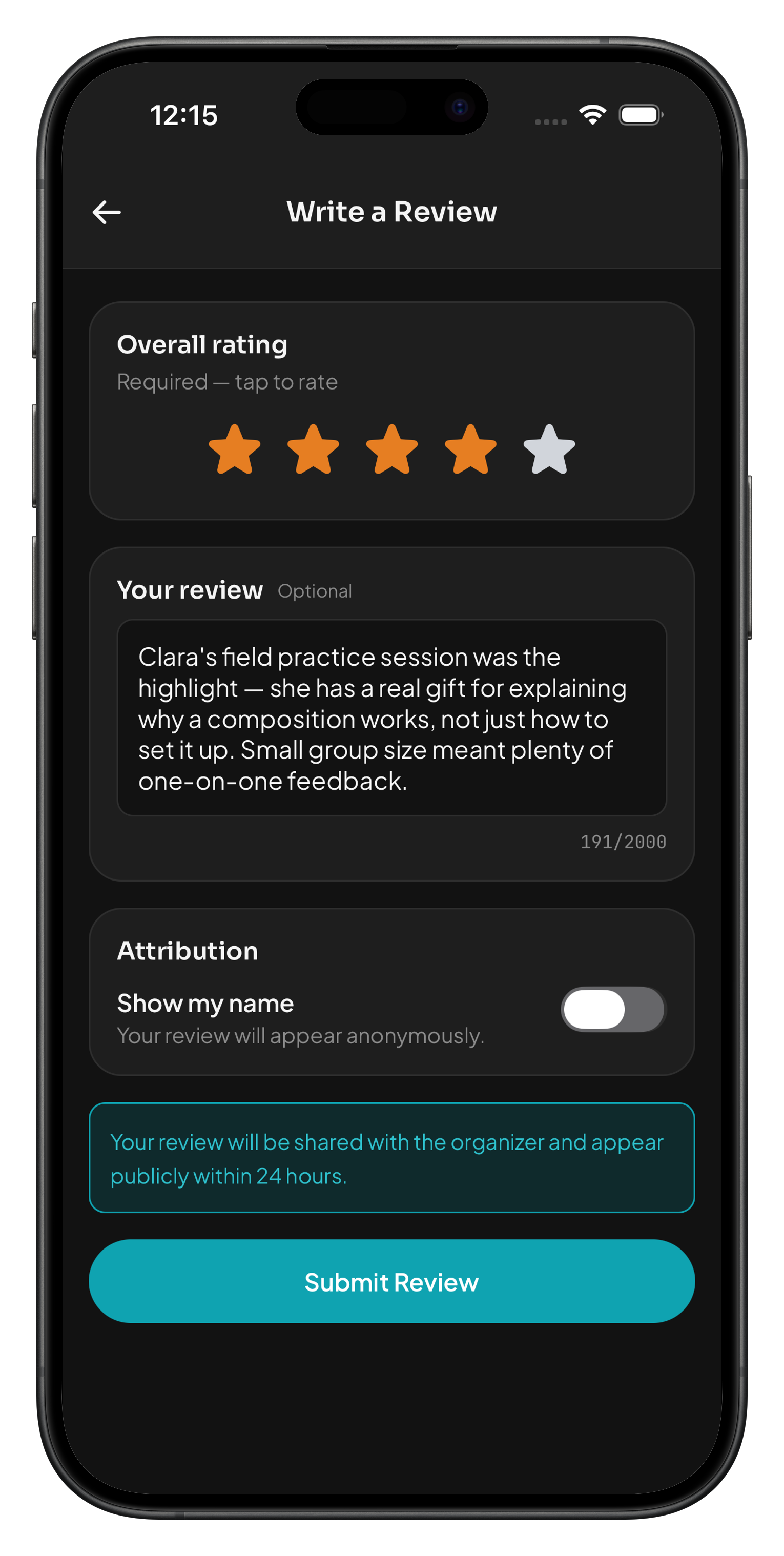
Leave a Review
Only confirmed participants who actually attended can review a workshop — after it ends.
The experience
What happens after you join.
Wayfield is designed around the things participants actually need to know — where to be, when to leave, what to bring, and what to do when they arrive.
Find your session without a signal.
Workshop details, schedule, and logistics download to your phone when you register. In a basement studio or a rural venue with no coverage, that information is still there. Learn more →
Know when to wake up, not just when it starts.
Set your prep time and travel buffer once. Every session gets a wake time, a departure time, and an arrival window calculated backward from the start. Learn more →
Build your own schedule, session by session.
See what’s open, what’s full, and what conflicts. Pick what you want to attend and change your mind up to the day. Learn more →
Check in with one tap. No code to find.
No QR code, no kiosk, no paper list with your name on it. One tap in the app — or from your wrist if you’re wearing an Apple Watch. Learn more →
Sign once, on your phone, before the day.
If the workshop needs a waiver, it appears on the registration page. Sign digitally and it’s done. No clipboard at the door. Learn more →
Reviews from people who were actually there.
Only confirmed participants who attended can leave a review, and only after the workshop ends. What you’re reading came from someone who showed up. Learn more →
Full feature list
All Wayfield features for participants.
Workshop Materials Access
Reference PDFs, presets, recipes — attached to the workshop, available after the event ends, not buried in an old email. Read the full details →
Interest-Based Discovery
Search results ranked by what you told Wayfield you’re interested in, not a generic list sorted by date. Read the full details →
Multi-Organization Cart Checkout
Add workshops from more than one organizer to a single cart and check out once, even when one is free and one isn’t. Read the full details →
Notification Preferences
Choose which updates reach you and on which channel — email, push, or in-app — independently. Read the full details →
Apple Watch Companion App
Check in from your wrist. See today’s sessions and the weather without opening your phone. Read the full details →
Siri and Apple Intelligence
Ask about your session weather or your brief status out loud. The answer comes back without opening the app. Read the full details →
Workshop Mode Focus Filter
Limit your home screen to what’s relevant to the workshop you’re attending, for the length of a multi-day event. Read the full details →
Android Home Screen Widget
See your next session — title, date, time — from your home screen, and check in from the notification shade. Read the full details →
Immersive Workshop Gallery
Browse a workshop’s past photos full-screen before you register, with pinch-to-zoom and a share button. Read the full details →
Notification Attribution
Every message shows who sent it — organizer or leader, name and photo — so you always know where an update came from. Read the full details →