

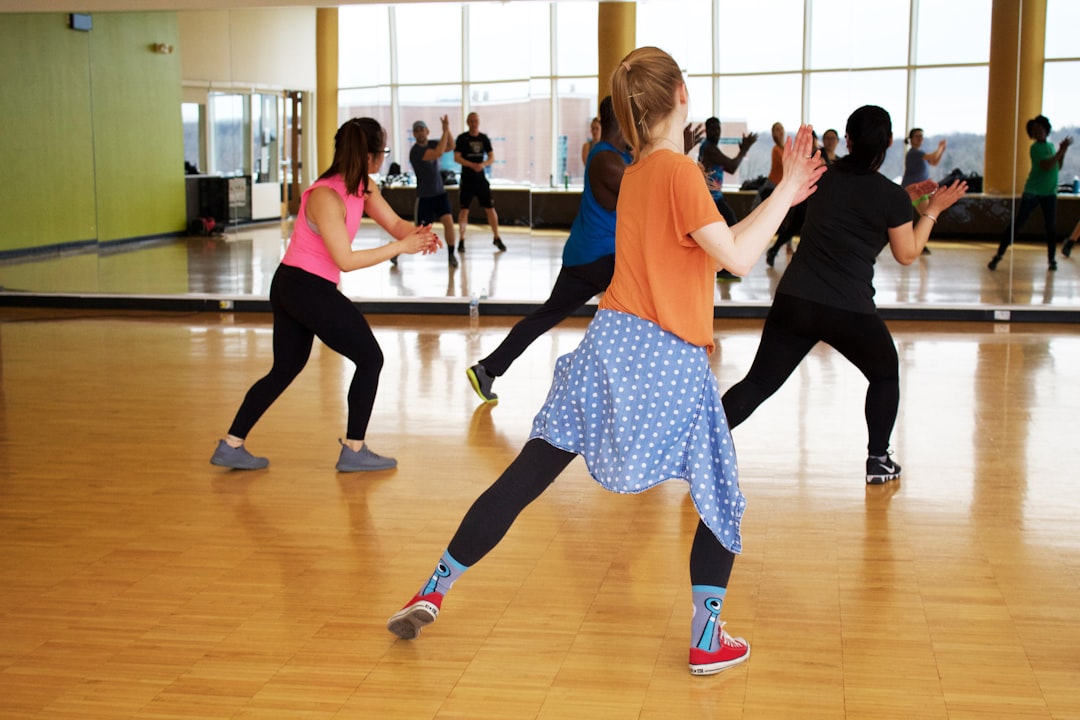
Photo by Videodeck .co on Unsplash
Your last workshop cohort already used AI before they walked in. Half the participants in a photography retreat storyboarded shots on Midjourney the night before arrival. A writing workshop leader found three students had run their drafts through ChatGPT for "polish" before the first critique session. Organizers who ignore this are running the workshop they designed in 2019. The ones building real AI workshops for creators are asking a harder question: what does this course teach that the tool can’t already do for free at midnight in someone’s kitchen?
Why AI Tools Fail in Creative Workshops (And How to Fix It)
Most organizers treat AI as a shortcut baked into the curriculum: generate the reference image, generate the first draft, move on to "real" instruction. Participants leave having outsourced judgment, not sharpened it. A ceramics workshop that runs glaze combinations through an AI predictor before students touch clay teaches them to defer to a tool, not develop an eye.
The fix is a framing shift. Position AI as a constraint, not a shortcut. A constraint narrows options so the artist has to choose more deliberately, the way a sonnet’s fourteen lines force sharper word choice than free verse. When a photography leader tells participants "generate five compositions, then explain why four of them are wrong for this subject," the AI output becomes raw material for judgment, not a replacement for it. The tool creates the options. The artist still decides.
The Three Layers of AI Integration That Actually Work
Break AI use into three layers, and keep each one in service of a human decision.
Layer 1 is prep: drafting the welcome email, summarizing pre-reading, generating a rough schedule. None of this touches the creative work itself.
Layer 2 is in-session. AI generates variations for critique, not final answers. A writing leader might have the tool produce three different openings to the same scene, then spend twenty minutes on why two of them fail the story’s tone. The output becomes a critique object, not a deliverable.
Layer 3 is post-workshop: compressing files, generating alt text, building a contact sheet for finished participant work. By this point the creative decisions are already made.
Each layer has a clear boundary: AI touches administration and variation-generation, never the decision itself. Blur that boundary and you’re back to selling a workshop that teaches people to defer.
Designing Sessions Where AI Creates Friction, Not Flow

The best AI-integrated sessions are built around failure, not success. Ask participants how the AI misses what they’re trying to do. A music workshop leader might generate an AI accompaniment track and ask the group to identify exactly where it flattens the emotional arc of the piece. That question forces participants to articulate intent they might never have named otherwise.
This friction is the actual curriculum. A student who can point to the moment an AI variation missed the mark has learned more about their own artistic standards than a student who accepted the first clean output. Structure a 90-minute session with 20 minutes of AI generation and 70 minutes of dissecting where it fails. The ratio should feel uncomfortable if you’re used to tool-tutorial formats. That discomfort is the point.
Pricing and Positioning Your AI-Integrated Workshop
A $45 "learn Midjourney basics" workshop competes against a hundred free YouTube tutorials and loses. A $195 workshop titled "Design Systems That Separate Your Vision From the Tool" competes against nothing, because nobody else teaches that framework.
Price the curation, not the access. Participants can get a ChatGPT subscription for $20 a month on their own. What they can’t get on their own is a structured six-week curriculum that teaches them when to reach for the tool and when to put it down. That differentiation supports premium pricing, and it’s the pitch that survives past the current AI news cycle. Organizers running this through Wayfield often build pricing tiers around session depth, a single 3-hour intensive at $195 versus a 6-week cohort at $650, rather than around which AI tool gets taught that week.
Building Your Curriculum Without Chasing AI Updates

Anchor your modules to principles, not features. "Iterative refinement through constraint" survives every model update. "How to use Prompt Engineer v2.3" has a shelf life of about four months, and rewriting your curriculum every time a tool ships an update is not sustainable for a side-income workshop.
A useful module template: name the principle, give a 15-minute demo with whatever tool is current, then spend 45 minutes on transferable exercises that would work even if the tool disappeared tomorrow. When Midjourney becomes v7 or gets replaced entirely, your session structure doesn’t need a rebuild. Participants leave with thinking that transfers, which also generates referrals six months later.
Screening Leaders and Managing Live Tool Failures
API outages happen mid-session. A leader who can’t teach without the tool working is a liability, not an asset. Screen leaders by asking them to run a 10-minute segment of their planned session with the AI tool turned off. If they freeze, they’re not ready to lead a live workshop where infrastructure is never guaranteed.
Require every leader to prepare an analog backup for each AI-dependent segment: a hand-sketched storyboard instead of an AI-generated one, a manual thesaurus exercise instead of an AI paraphrase tool. This isn’t a contingency plan buried in a binder. It’s a credibility signal that the workshop teaches a skill, not a dependency.
Measuring Workshop Success Beyond Tool Proficiency
"Can you generate an image" is the wrong question for a post-workshop survey. It measures whether someone can click a button. Ask instead: did this tool serve your creative vision, or did it steer it? That question surfaces whether participants developed judgment or just learned a workflow.
Track two numbers over your next three cohorts: the percentage of participants who can name a specific moment they rejected an AI suggestion, and your referral rate. A workshop where 70% of participants can point to a rejected AI output and explain why is producing artists with sharper judgment. A workshop where participants only talk about how fast the tool worked is producing tool operators. Referrals will tell you which one you’re running, because artists refer workshops that made them better, not ones that made them faster.
Start free on Wayfield, no credit card required.
Partner Spotlight · K&K Insurance
Workshop liability isn't glamorous, but it's the difference between a profitable year and a catastrophic one. When you're teaching AI tools to creators, you're also managing venue risk, participant injury potential, and the unpredictable gaps in standard business insurance. K&K Insurance specializes in event and workshop coverage that actually fits how creators operate, not legacy insurance categories. If you're running workshops regularly, their policies cover what matters: your space, your participants, your income when things go wrong. Check what K&K offers for workshop organizers at kandkinsurance.com/?ref=wayfield. Learn more →





Leave a Reply